

Description
Content calendar creation
1. What is a Content Calendar?
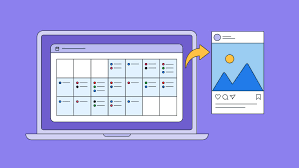
A content calendar is a schedule that outlines what content you’ll publish, when, and where. It’s a strategic tool for marketers, social media managers, bloggers, and brands to plan, organize, and track content across platforms.
Think of it as your editorial roadmap.
2. Why Use a Content Calendar?
-
Ensures consistent posting across channels.
-
Helps align content with campaigns, holidays, or product launches.
-
Improves team collaboration—everyone knows who is doing what.
-
Enables tracking of content performance and optimization.
-
Prevents last-minute scrambling or missed deadlines.
3. Key Elements of a Content Calendar
| Element | Description |
|---|---|
| Date/Time | When the content will be published. |
| Content Type | Blog post, social media post, newsletter, video, infographic, etc. |
| Platform/Channel | Instagram, LinkedIn, Facebook, YouTube, website, email, etc. |
| Topic/Title | The subject or headline of the content. |
| Owner/Author | Who is responsible for creating and publishing it. |
| Status | Idea, Draft, In Review, Scheduled, Published. |
| Assets/Links | Images, videos, links, or attachments needed for publishing. |
| Call-to-Action (CTA) | What action you want the audience to take. |
| Notes | Additional instructions, hashtags, keywords, or campaign references. |
4. Steps to Create a Content Calendar
Step 1: Define Goals
-
Brand awareness, lead generation, engagement, website traffic, or sales.
Step 2: Know Your Audience
-
Identify their needs, interests, and where they spend time online.
Step 3: Audit Existing Content
-
Analyze what has worked before and what gaps exist.
Step 4: Choose Your Platforms
-
Focus on the channels most relevant to your audience.
Step 5: Decide Content Types
-
Blog posts, videos, social media posts, newsletters, webinars, etc.
Step 6: Plan a Publishing Schedule
-
Daily, weekly, or monthly—consistent cadence is key.
Step 7: Fill in the Calendar
-
Assign topics, dates, owners, and deadlines.
Step 8: Include Key Dates
-
Holidays, industry events, product launches, and company events.
Step 9: Track & Optimize
-
Monitor engagement, traffic, and conversions; adjust content accordingly.
5. Tools for Content Calendar Creation
-
Spreadsheets: Google Sheets, Excel (flexible, easy to share)
-
Project Management Tools: Trello, Asana, ClickUp
-
Social Media Scheduling Tools: Buffer, Hootsuite, Later
-
Editorial Platforms: CoSchedule, Airtable
6. Tips for Effective Calendars
-
Keep it visual (color-code platforms or content types).
-
Include a mix of content: educational, promotional, entertaining, and engagement posts.
-
Leave room for trending topics or last-minute content.
-
Regularly review analytics to improve future content.
Reviews
There are no reviews yet.